
Meal Planning
Dinner is handled.
Every night.
Flowboard takes the daily scramble out of mealtime. Plan three weeks at a glance, pull in recipes straight from any website, and turn your ingredient list into a shared grocery checklist with one tap. The whole family sees what is on the menu, every day, right on the display.
The Flowboard Meal Planner
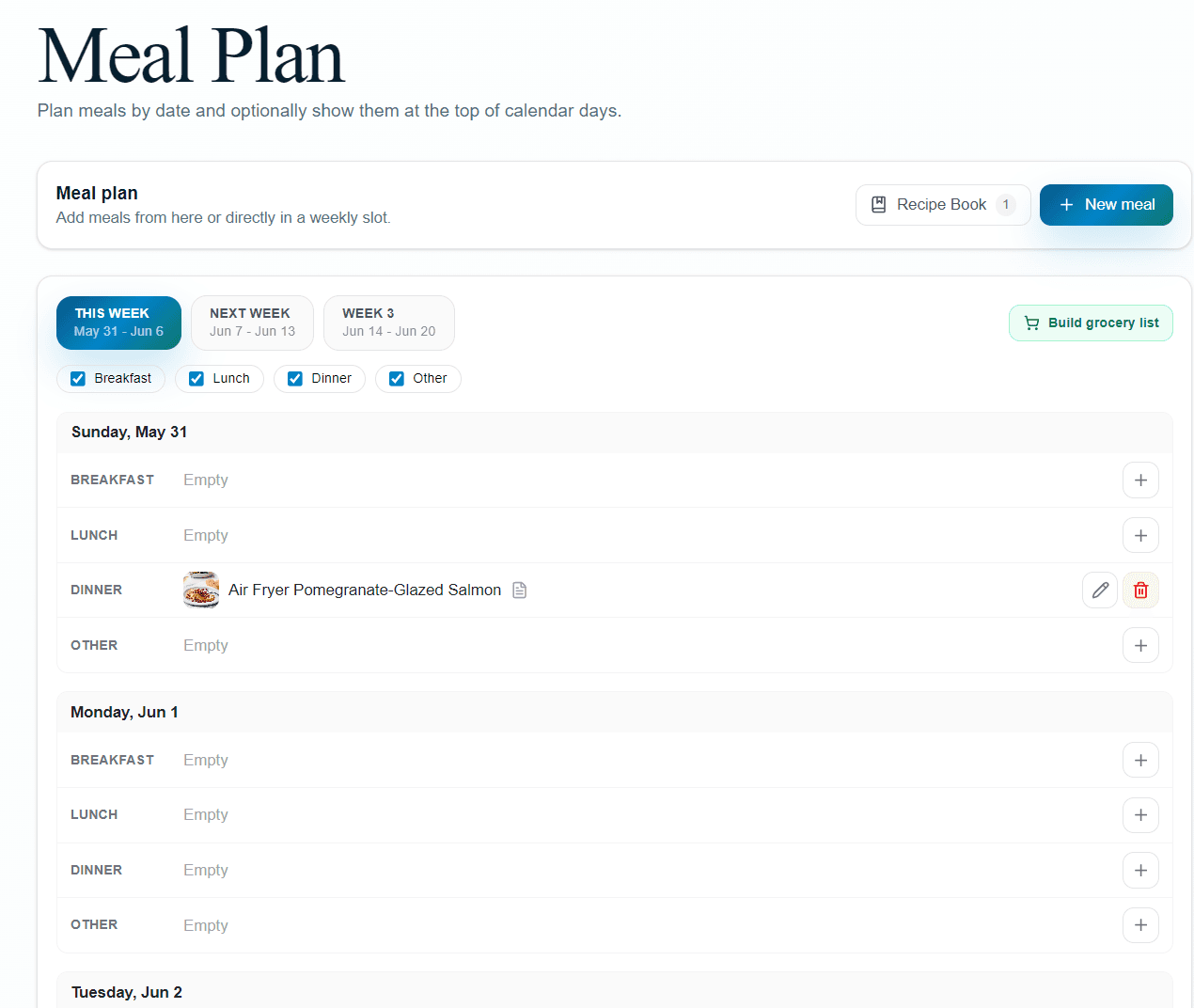
The weekly planner
Three weeks at a glance
The meal planner shows This Week, Next Week, and Week 3 in tabs so you can plan ahead without pressure. Each day has four slots: Breakfast, Lunch, Dinner, and Other. Add meals from the header or tap any empty slot directly in the weekly grid.
- ✓Filter visible slots: hide Breakfast or Other if you only plan dinners
- ✓Set a meal to repeat weekly and it fills every future week automatically
- ✓Tap any meal row to edit the title, type, date, and recipe in one place
- ✓Quick-add from any empty slot without leaving the planner
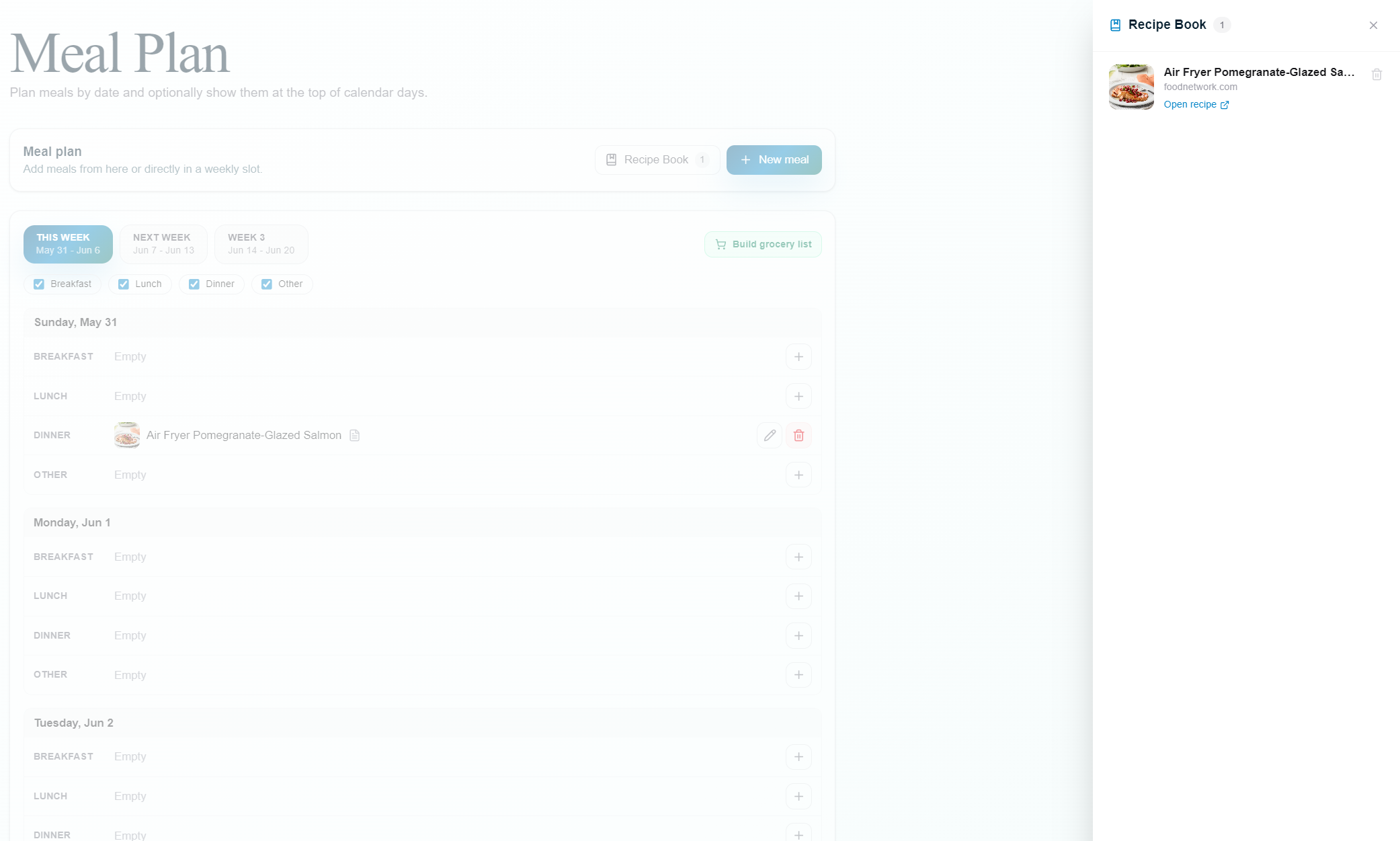
Recipe Book panel with saved recipes accessible from the planner
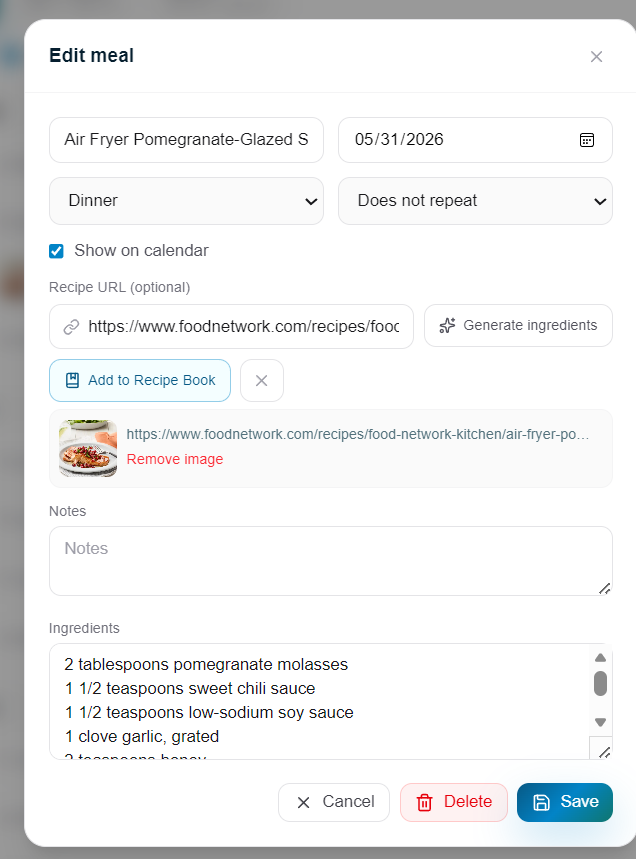
Paste a URL and Flowboard fetches the recipe name, image, and full ingredient list
Recipe import and Recipe Book
Import any recipe in seconds
Paste a URL from Food Network, AllRecipes, NYT Cooking, or anywhere else. Flowboard fetches the recipe name, cover image, and full ingredient list automatically. Then save it to your Recipe Book so you never have to import the same site twice.
One-click import
Paste a URL and the recipe name, image, and ingredients are pulled in automatically. No copying and pasting line by line.
Recipe Book
Save your favorite recipe sites to the Recipe Book. Open it from the planner header and pick any saved recipe to pre-fill the meal form.
Auto dish image
The recipe cover image is fetched from the page and shown on the meal row in the planner so you can recognize each dish at a glance.
Ingredient extraction
Ingredients are extracted and stored as a structured list on the meal, so nothing has to be retyped by hand.
Grocery list
From meal plan to shopping list in one tap
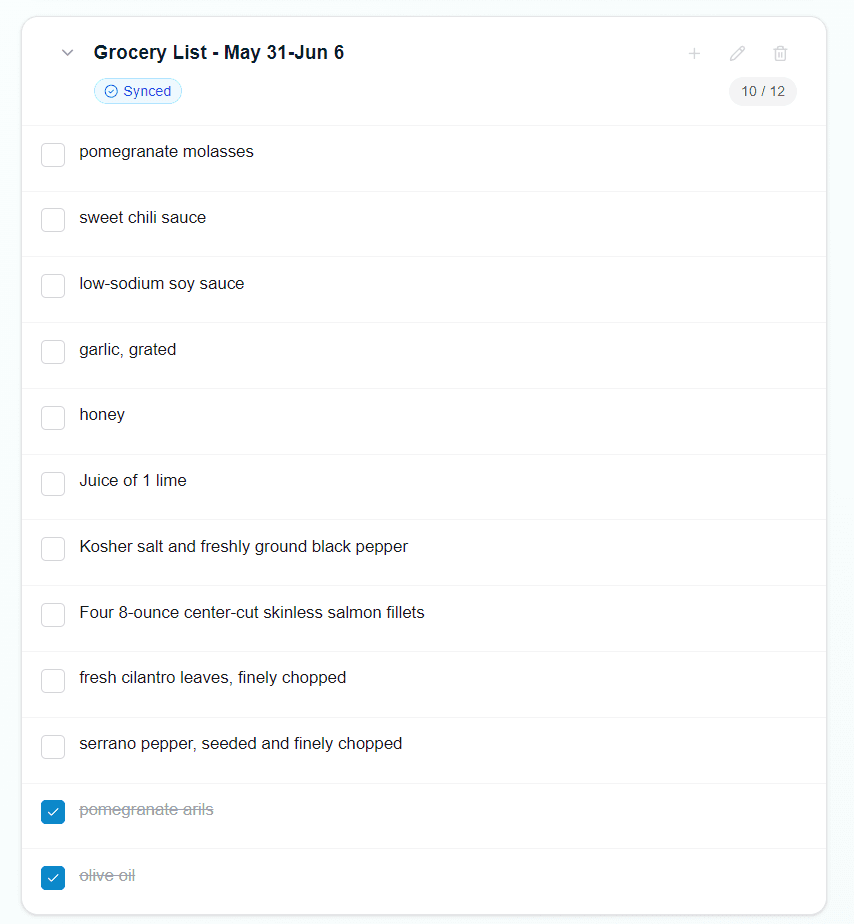
Flowboard reads the ingredients from every meal in the active week and builds a shared, checkable grocery list. The list syncs to Google Tasks so the whole family can check items off from any device.
One-tap generation
Click Build grocery list and every ingredient from the week's meals is added to a shared list automatically.
Shared checklist
The list lives in your family's To-Do section. Any family member can check items off as they shop.
Google Tasks sync
Toggle sync on the grocery list and it stays in step with Google Tasks so you can check items from any app or device.
Skips duplicates
If garlic appears in three meals it is added once. Existing items from previous builds are skipped to keep the list clean.
On the display
The whole family knows what is for dinner
Every planned meal appears at the top of its calendar day on the TV. No one needs to ask. On touch-enabled displays, tapping a meal with a recipe link opens the full recipe site in a built-in overlay so you can cook right from the screen.
- ✓Meals appear on the weekly grid, list view, and card view of the calendar widget
- ✓Recipe dish images show alongside the meal name for instant recognition
- ✓Tap a meal to open the linked recipe site in a full-screen overlay
- ✓Works on Android TV, Windows PC, tablet, and browser displays
- ✓Calendar widget settings control which meals are visible
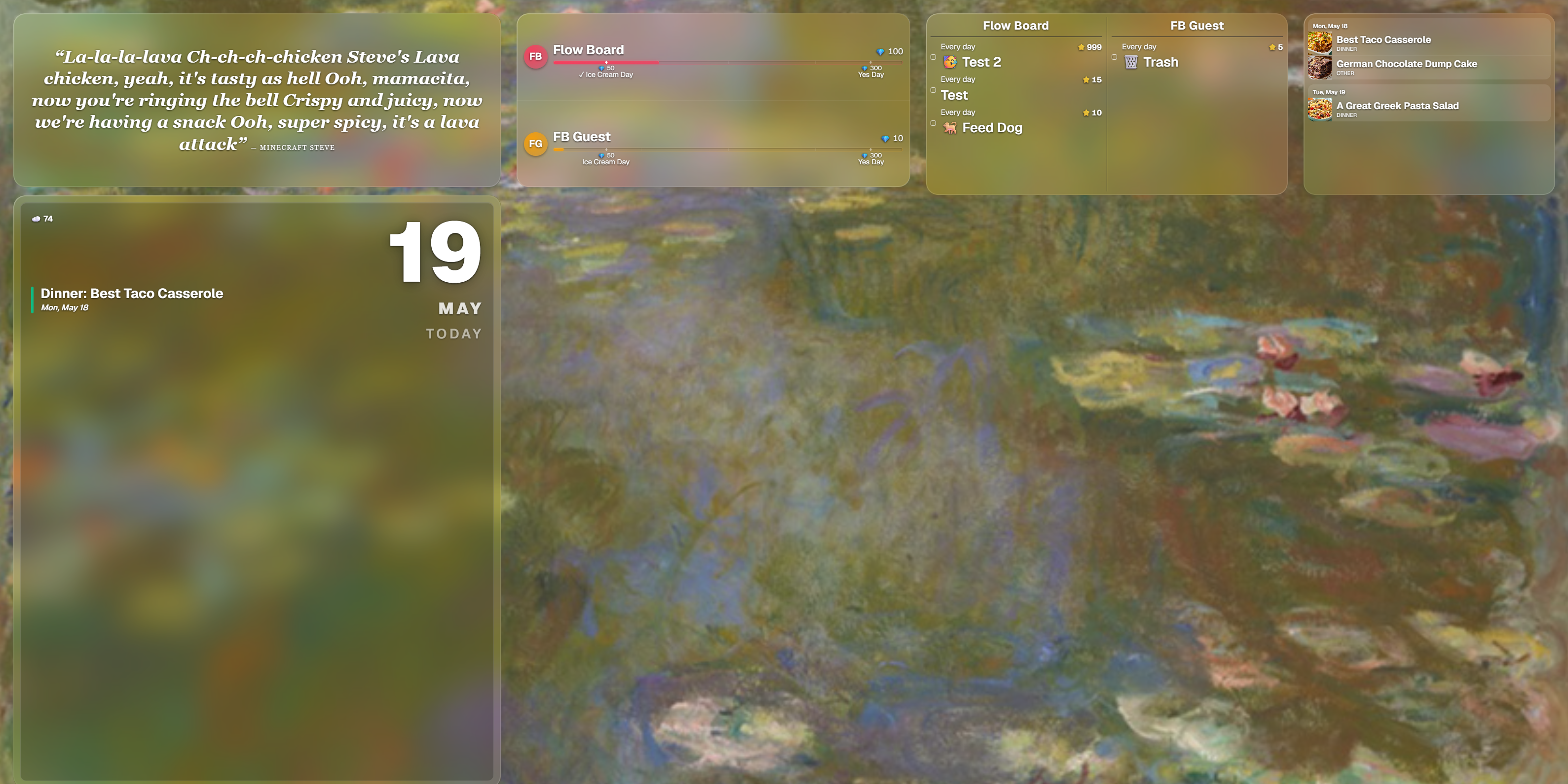
Meals alongside rewards on the family TV display
The full loop in four steps
From blank week to dinner on the table, without the daily scramble.
Plan the week
Open the planner and add meals to each day's slots. Set recurring meals and they fill future weeks automatically.
Import a recipe
Paste any recipe URL. The name, image, and ingredients are fetched instantly. Save it to the Recipe Book for next time.
Build the list
Tap Build grocery list. Every ingredient from the week is added to a shared, checkable list that syncs to Google Tasks.
Cook from the display
The whole family sees the menu on the TV. Tap a meal to open the recipe site and cook directly from the screen.
Ready to end the dinner scramble?
30-day full-access trial. No credit card needed. Set up your first week of meals in minutes.
Start free trial