Chores & Rewards
Turn everyday tasks
into family wins.
A complete chore-and-reward loop built right into your family display. Assign tasks, earn custom currency, shop for rewards, and track every completion live on the TV and in the dashboard.
The Flowboard Chores Dashboard
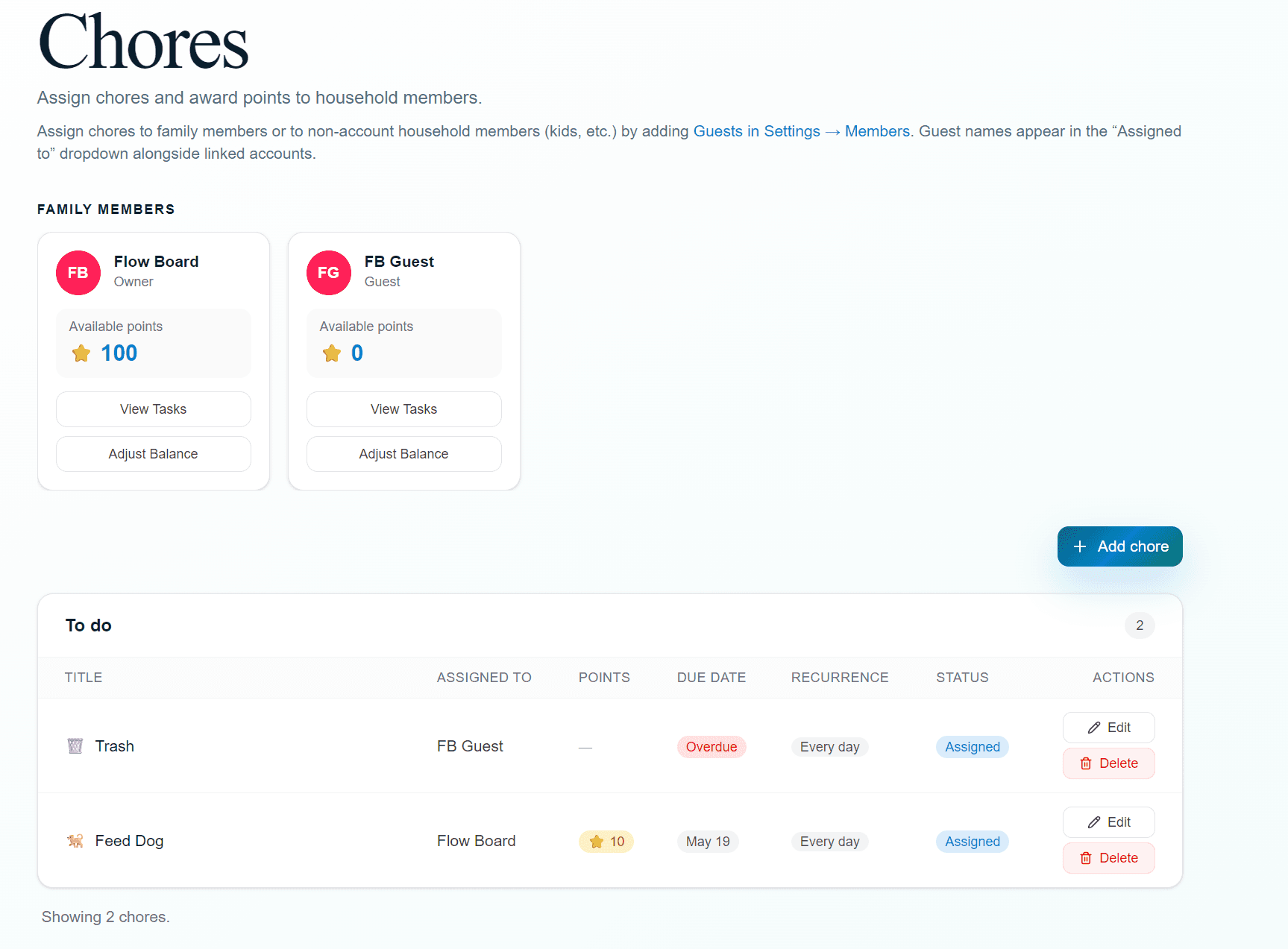
The chore board
Everything in one place
The chores page shows every family member’s live gem balance at the top, then lists active chores sorted by due date. Owners and admins can add, edit, or delete chores and adjust member balances directly from this page.
- ✓Assign to any family member or guest, including kids without an account
- ✓Set due dates: today, tomorrow, or any future date
- ✓Choose a recurrence: daily, weekly, every Saturday, custom cron
- ✓Add an emoji so each task is instantly recognizable
- ✓Set a gem value so bigger chores earn more
- ✓One-click complete from dashboard or tap on the TV display
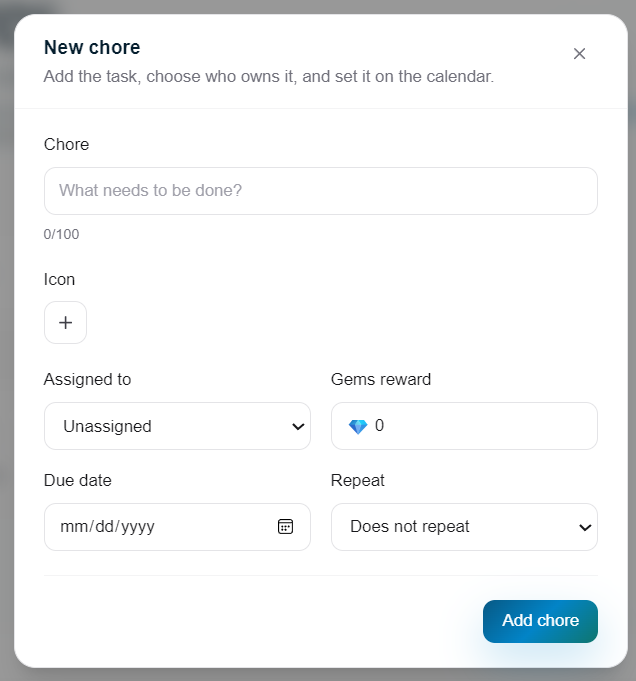
Adding a new chore with recurrence and gem value
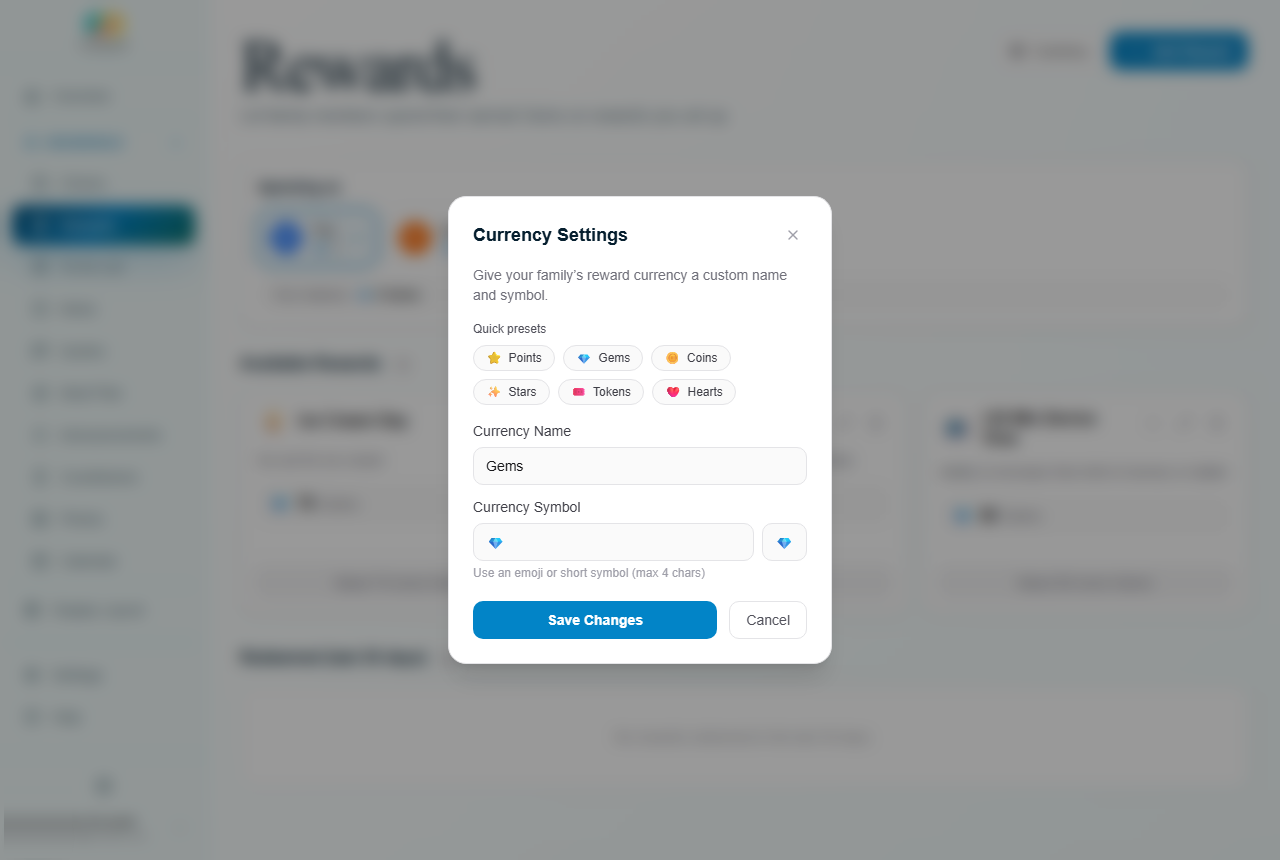
Name your currency anything: Gems, Stars, Coins, and more
Custom currency
Your family’s own economy
Give your points system a name and symbol that fits your family. “Gems 💎”, “Stars ⭐”, “Gold Coins 🪙”, whatever gets your crew motivated. Every chore carries a value you set.
Fully custom
Name it anything, pick any emoji as the symbol. It shows everywhere: on the dashboard, display, and in notifications.
Instant deposits
Points land in the member's balance the moment a chore is marked complete. No delays.
Balance adjustments
Owners and admins can add or subtract points manually at any time from the chores page.
Live on the display
Every member's balance is visible in real time on the TV.
Reward store
A store your family actually wants to shop
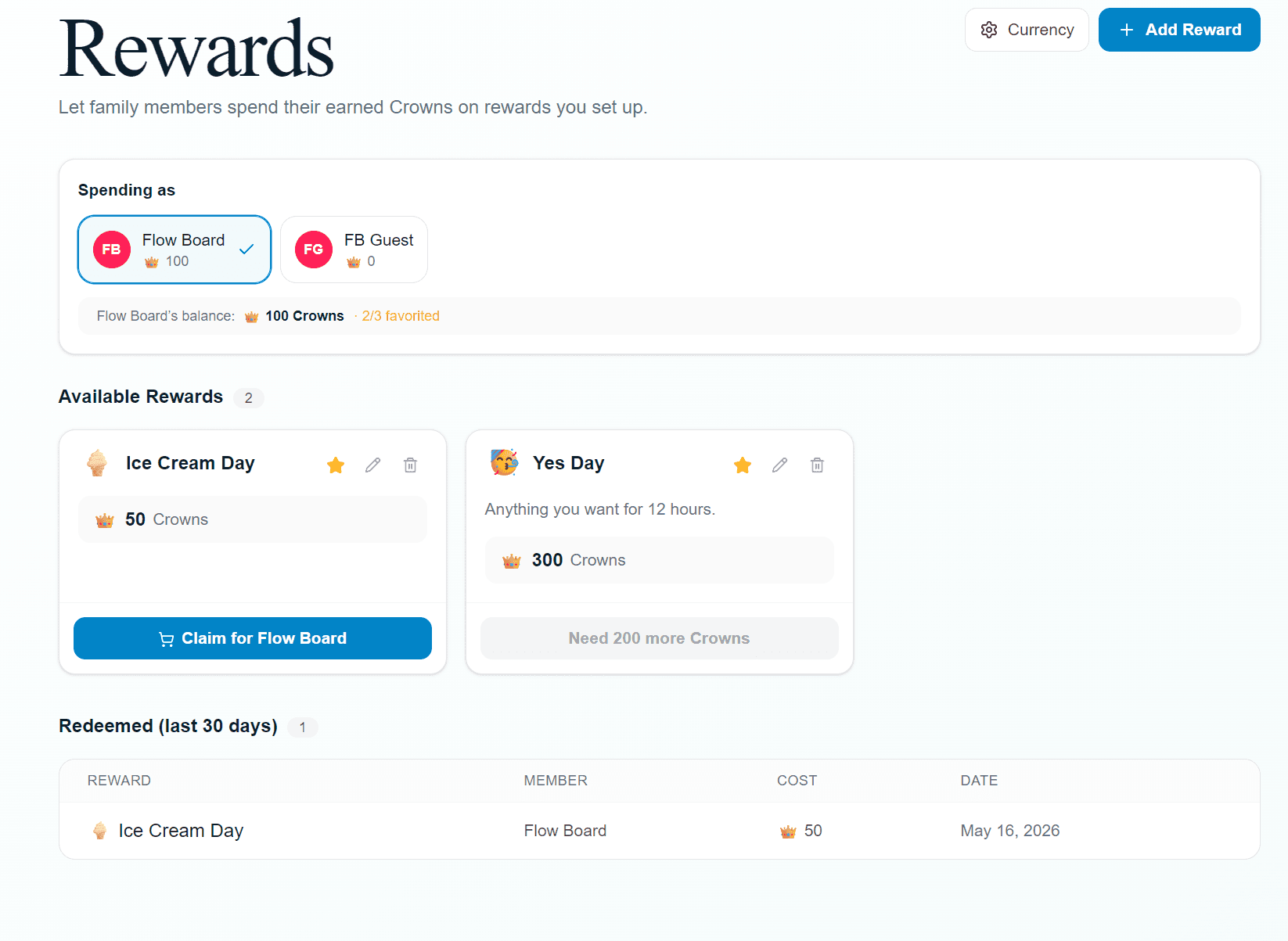
Build a catalog of rewards with custom gem prices. Members see what they can afford, what’s on their wishlist, and exactly how many more gems they need.
Live balance
Each member's gem total is shown at the top with a quick member switcher for admins.
Favorites
Members can star their most-wanted rewards so they're always easy to find.
One-tap claim
If a member has enough gems, a Claim button appears. One tap and it's redeemed.
30-day history
A full redemption log shows what was claimed, by whom, and when, sorted by date.
Building the catalog
Create rewards in seconds
Give each reward a title, an emoji, an optional description, and a gem cost. Mix big milestone rewards (a day trip) with small everyday ones (an extra 30 minutes of screen time) to keep everyone motivated at every level.
- ✓Title, emoji, and optional description
- ✓Set any gem cost that fits the reward
- ✓Rewards stay in the catalog until you remove them
- ✓Owners and admins manage the full catalog
- ✓All members and guests can browse and redeem
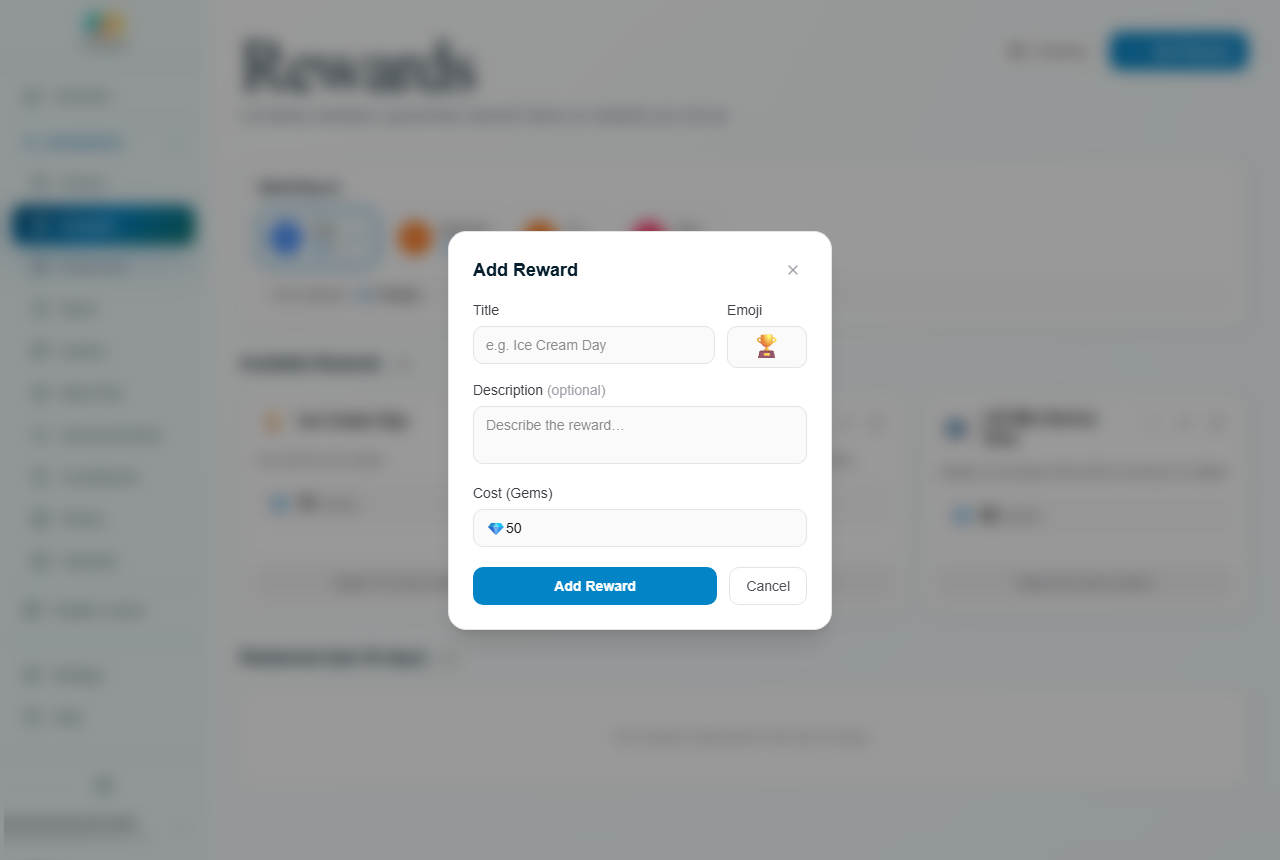
Creating a new reward with a title, emoji, and gem price
On the display
Progress that’s satisfying to watch
The rewards widget puts an animated tube or bar on your family TV. It fills as points are earned and drains on redemption. Each member gets their own tracker side by side so everyone can see their progress at a glance.
- ✓Tube style fills upward as balance grows
- ✓Bar style fills horizontally across the widget
- ✓Shows currency symbol and live numeric balance
- ✓Works on Android TV, Windows PC, tablet, and browser
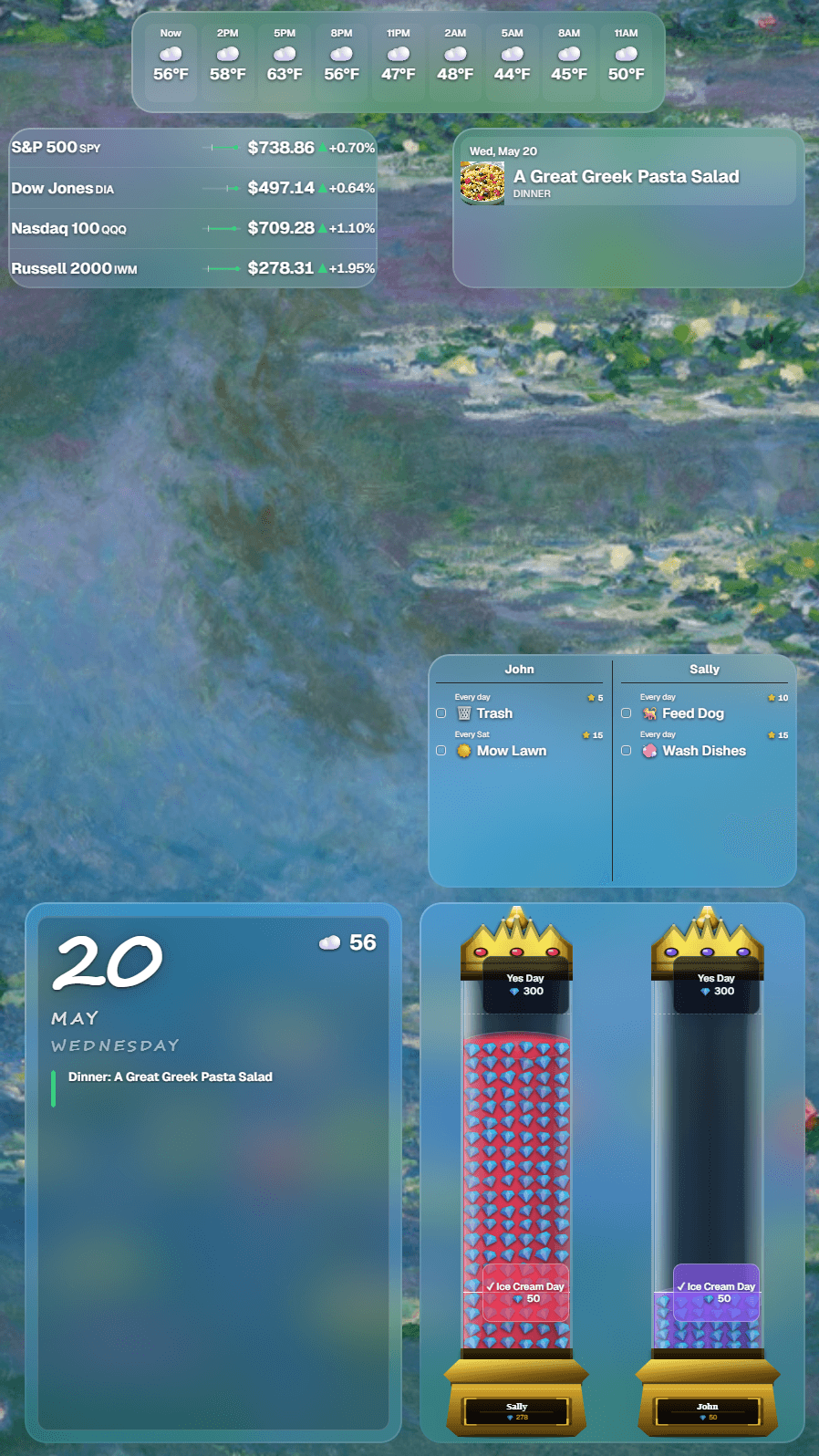
Portrait display with reward tubes
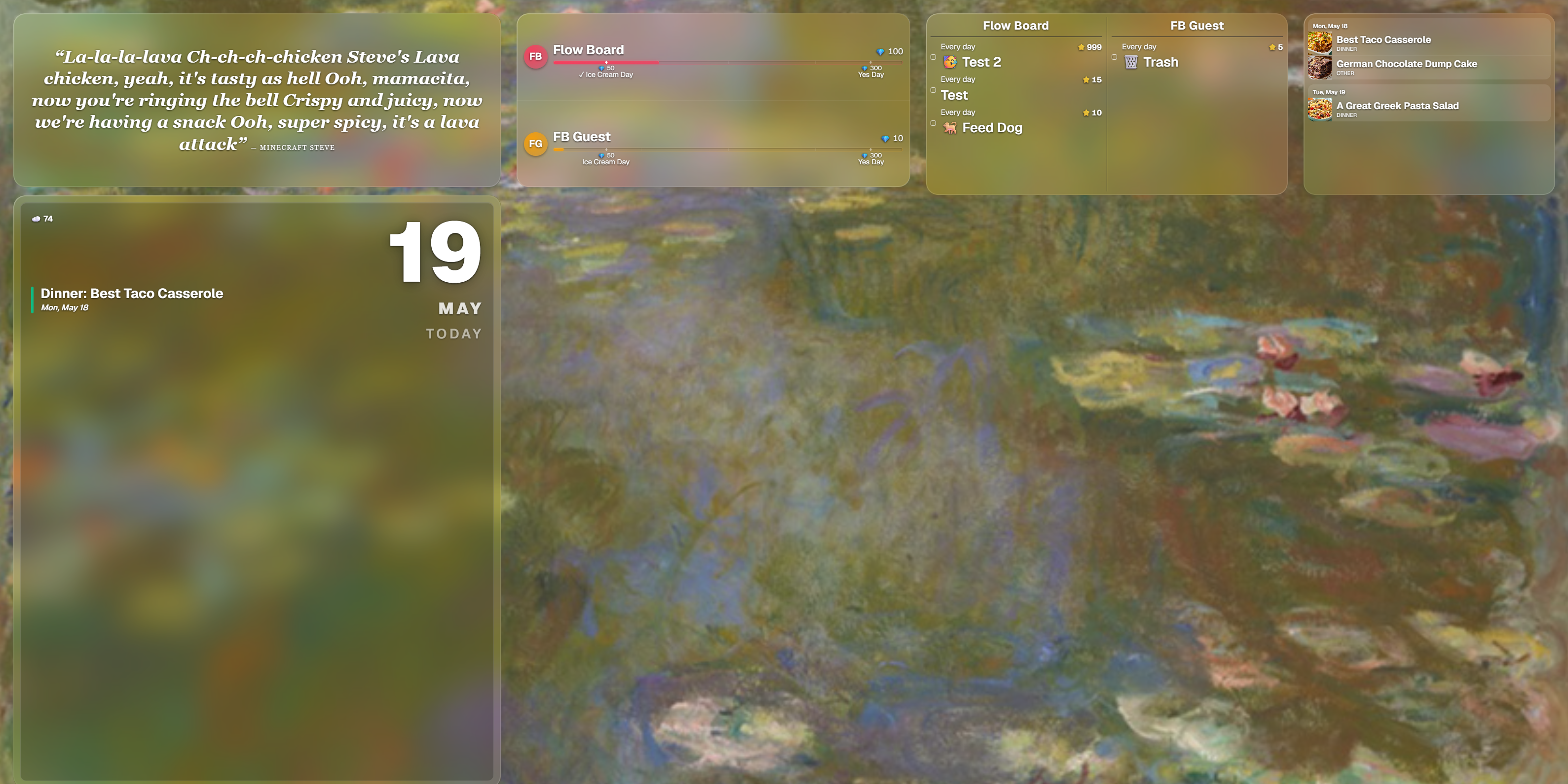
Family rewards widget on the TV display
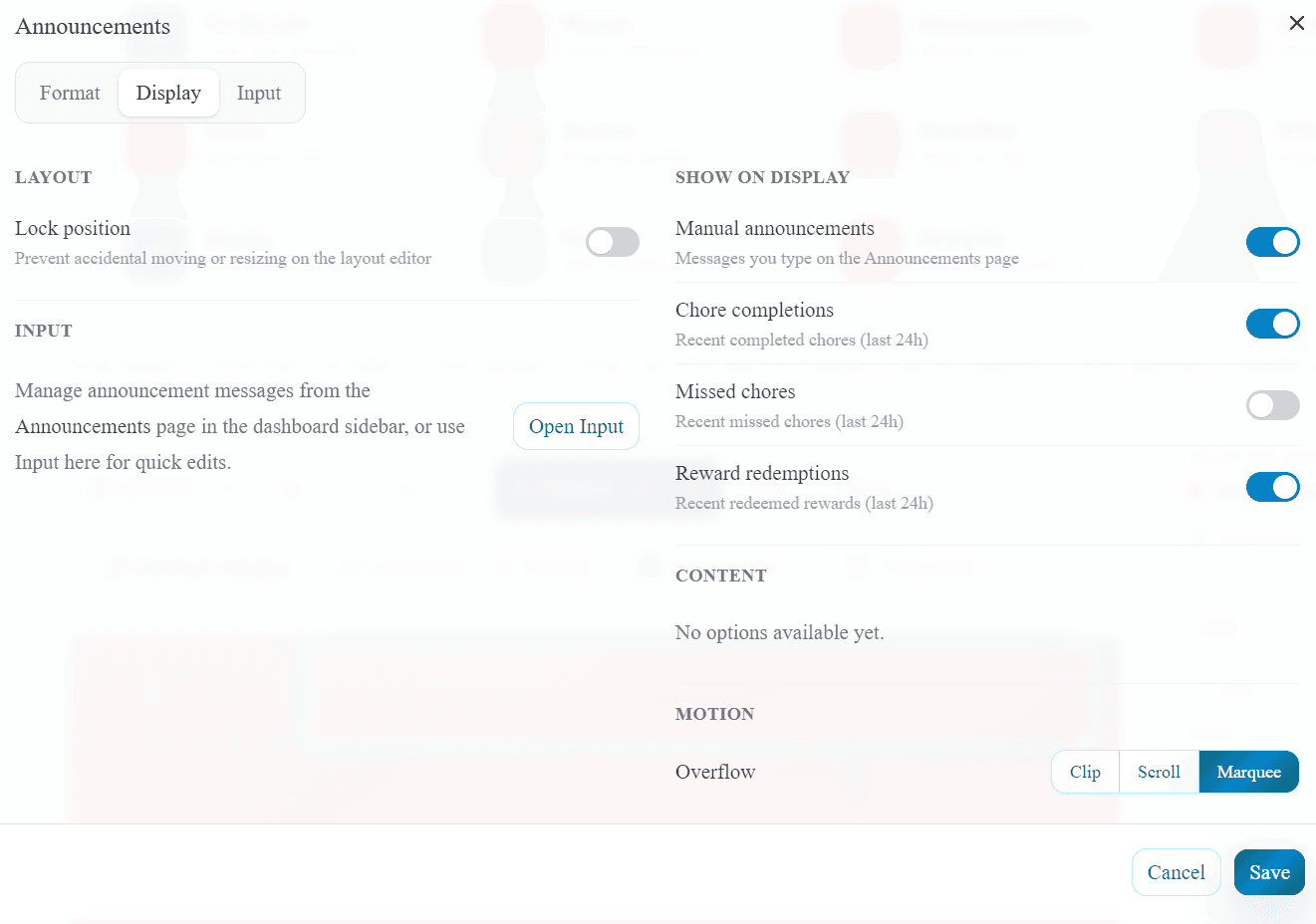
Choose what shows on the display: your messages, chore completions, missed chores, and reward redemptions.
Celebrations & alerts
Every completion gets recognized
Mark a chore complete and a celebration moment appears on the dashboard. The same recognition fires when a chore is tapped on the display, and managers get a real-time bell notification so nothing goes unnoticed. And on the TV itself, the Announcements widget can scroll recent completions and redemptions right alongside the messages you post.
Instant completion
Check off a chore on the dashboard and it is marked complete instantly, then moves to the completed list. Changed your mind? An Undo button stays on every completed chore.
TV celebrations
A completion celebration fires on the TV display when a chore is tapped. Auto-fades after 8 seconds.
Manager bell alerts
Owners and admins see a live badge in the nav for every chore completion and reward redemption.
Activity feed
A timestamped trail on the dashboard overview, plus a live feed on the display: completions, missed chores, and redemptions can scroll right on the Announcements widget.
The full loop in three steps
No nagging required.
Assign & complete
Create chores with due dates, recurrence, and a gem value. Family members complete them from the dashboard or by tapping the display.
Earn currency
Every completion deposits gems into the assignee's balance. The animated tube fills on the TV so everyone can see the progress.
Shop & celebrate
Members browse the reward store, redeem their gems, and get a completion celebration. Managers get an instant bell alert.
Ready to get your family moving?
30-day full-access trial. No credit card needed. Set up your first chore board in minutes.
Start free trial